
There’s no shortage at all of cool new tools to create and express yourself on the web. I came across Voicethread via a link from Tim Lauer (linktribution!). From its site:
A VoiceThread is an online media album that allows people to make comments, either audio or text, and share them with anyone they wish. A VoiceThread allows an entire group’s story to be told and collected in one place.
Basically you upload photos (integration from flickr allows you to pull them directly from a set there, nice), and the flash editing interface allows you to add audio narration to images, which play back as a slideshow. I took a brief tour of the features via the What is a VoiceThread anyhow. The zoom and pan capability on the images reminded me a little of the feature in the Pachyderm software, not quite the level of zoom that Pachy has, but when I think how easy it is to create in VoiceThread.
But what caught my eye and ear was the power in the demo of having multiple audio voices- especially on “the photo that launched a thousand ships” in this demo- a hilariously time set image of a 1960s vintage family:

or as the mom describes via audio, “I’m the happy mother here in this picture of these children, some of whom… appear to have anxiety disorders… I don’t know why the look unhappy, because I’m their mother- and they should be happy.”
It just struck me as a rather easy tool to put together powerful combinations of digital images and audio. It packages it as a link that can be shared, or embedded in any web site via some cut and paste (The YouTubization method– it ought to be expected in anything that allows yo to create re-purposed media content).
To have a play at it, inspired by Dean’s recent efforts to collect the desktop photos bloggers use on their computer, I uploaded about 6 of mine, sorted them into some order I liked, then walked through and added audio annotation to them:
Full sized version: http://voicethread.com/maker.php?b=2956 https://voicethread.com/myvoice/thread/2956/26116/14599
The options you get when you share a VoiceThread is to allow others to leave audio or text comments (They need to create an account to do so, I believe), which makes for yet another level of curiosity on how to create media that can involve the voices of others from near or afar.
So yes, one could do a presentation here (record audio for each slide), some version of digital storytelling, perhaps some collaborative discussion around images… there are many creative possibilities for what is really a nice, simple tool. Easy peasy to use.
Just for fun, I took another 10-15 minutes and rendered another VoiceThread based on the fake science fiction covers I created for the presentation I did with Brian Lamb back in 2006 for the EDUCAUSE ELI conference – with this one, I grabbed the images all from a flickr photo set, very easy peasy, and added some descriptions about each fake book cover:
Full sized version: http://voicethread.com/maker.php?b=2957 https://voicethread.com/myvoice/thread/2957/155031787
Did I say how easy these were to make?
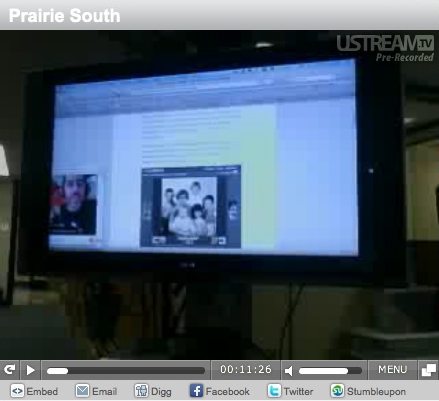
Featured Image (added much later) Presenting 50 Ways via Skype flickr photo by cogdogblog shared into the public domain using Creative Commons Public Domain Dedication (CC0) This was me remote presenting from Iceland to Dean Shareski’s class using Ustream.tv!


Hey Alan,
I enjoyed the tour of your desktop pictures.
Tim
Good stuff, this. Clearly the tool has the ‘fun’ quality that grabs attention, but what I really appreciate is that you created 2 versions with back-story to help me ‘get it’. Thanks!
Cheers, Christian
What a welcome post! I was just puzzling over trying to find such a tool early this week, and have already forwarded it ahead to people at UBC with exactly the same problem.
The examples you posted really bring to life what VoiceThread is all about. Thanks for taking the time to share this with others. I’m always looking for tools that are fun and have some useful value, too. I’m going to think about some possible educational applications for this technology and then share with my colleagues.
Love it .. just had to experiment!
Thanks for introducing this Alan – I’ve been waiting a long time for a free tool this well designed. Bubbleshare was too simplistic and clunky.
This is kewl… I’m going to share this with some folks… I’m envisioning this as a tool that will crank up the idea of community blogs… upload an image and have people comment… if the local paper did this instead of editorials we’d get nothing done… better than reality TV
Nice post on Voicethread. I’d like to leave a link to my experience using it with Young Learners http://english_studio.blogspot.com/2007/10/introducing-young-learners-to-new-web.html
– I also dealt with it on a clip when I was a new Voicethread user
http://english_studio.blogspot.com/2007/10/new-tools-for-online-interaction-v-o-i.html