
Hopefully I do need to write out the reasons why PHP was a big deal last week. Thanks to the ever vigilant folks at Reclaim Hosting this blog (hosted in Reclaim Cloud) and my fleet of many other sites running it were patched. Nary a shell was cracked open.
I aimed to post something positive about how much I love PHP despite it getting such a bad knock last week. All the smug folks with their static web sites were like “look at me, no PHP, no problemo.” I’d probably do the same.
Hold the bus, I did years of building many web sites at the Maricopa Community Colleges in the early to mid 1990s that were all static HTML (look, this 32 year old one is still alive , the original Writing HTML tutorial, and more hanging in my archives). The first wave of evolution out was setting up searchable and dynamic sites using perl.
Bringing PHP into the game was a huge change for me, as I could wave bits of interaction directly into the HTML pages I was still hand coding, for example getting away from making lots of static pages for sites, and having navigation menus generated on the fly and content files pulled in as needed. That eas just the beginning, with the aid of some clever student programmers, we built systems for managing grant applications and professional growth requests, even a repository called the Maricopa Learning Exchange (itself calling for a retrospective blog post).
I can’t claim to be a full on PHP developer, much of my stuff is likely not elegant nor top programming style, but PHP elevated my tech game completely once I landed in WordPress and began “hacking” themes to make them do what I want, eventually doing extensive customization, theme development like making calling card themes from HTML5Up templates plus the nebulous SPLOTiverse.
Still I would make no claims to be a PHP “programmer” I just banged away and searched for clues to help as I went.
I was going to boast a bit about full PHP sites I made, nothing like “software” but still working things, like pechaflickr, the mashup of pechakucha with random flickr images I hatched in like 2008. For a while I had it on its pwn domain pechaflickr.net but in my domain cleanup I went to check the site last week and ZONK, PHP errors like Fatal error: Array and string offset access syntax with curly braces is no longer supported in (that’s not the exact error, I cant find it in my search history).
This was not an exploit issue more of an old code issue, to make it work in modern versions of PHP. Here is a more than long path to get it working (which it should be doing fine now at https://pechaflickr.cogdogblog.com/).
Poking Around the Code
The site depended on the phpflickr library originally by Dan Coulter that helped make calls to the flickr api from PHP code, pretty easy to use by doing a requite statement for the single phpflickr.php blob of code. It was no longer updated but it appears others were pushing changes on it at least to 5 years ago. It was working on my site at least a year ago, but I bet I was using PHP 7.
My debugging method was inserting a bit of PHP print_r() commands to show what data was being shlepped around. I could see that my calls to set up the php library were all empty so there was o way for it to pull data on images.
Phar the Joy of Composer
The spelling in the header there is wrong on purpose, but as .phar is a file name that comes into play. I might not fully explain.
There is a modern version of phpflickr kept ull up to date by a developer named Sam Wilson. I looked at the site a number of times in the past, there’s not quite the “download and just use” a set of files, but you have to wrangle with something called Composer. Conceptually I understand its something designed to maintain code that is built on top of other external libraries, to keep them all aligned with the dependencies needed to make the main one work.
I’m sure its something “real” programmers use like butter, but as a dabbler I never quite got around to figuring out how to get going. And indeed I resorted to dancing with the Google searh AI results asking for help in getting the source files, and at least I got the message that I could run Composer locally on my mac (command line time) to assemble all the files my pechaflickr code needed.
This lead to even more side steps. I have done a number of adding stuff to my mac with homebrew that gives me the illusion I am doing sysadmin stuff as it spins hundreds of lines flying past in my terminal. A new surprise came up ni my attempt to install composer- sigh, my Mac OS was tool old to do everything.
Pumping Up the OSX
Even to add to my shameful tech skills, I’ve been reluctant to do all the latest Mac OS updates, I’m more of the Leverite mineral (“Leave Her Right There”), but alas, now I had a reason to take the trip from Sonoma (v. 14) to Golden Gate (v. 27). I expected all kinds of hassles, the main one being clearing enough disk space for the monster download (I guess I have some Apple Intelligence I can ignore).
Phasing in the New Code
With the shiny OS I was able to run homebrew and install Composer on my mac. Then in terminal I navigate to the directory where I keep my pechaflckr code, and run composer require samwilson/phpflickr to watch it add the expected vendor directory and code within.
From the wisdom of my inquiries in Google search, all I should need to do is swap out my code where I included the old phpFlickr library and create a new object (passing it the value I store in FLICKRKEY
	require_once("phpFlickr.php");
	$f = new phpFlickr(FLICKRKEY);
for
	require_once __DIR__ . '/vendor/autoload.php';
	$apikey = FLICKRKEY;
	$f = new \Samwilson\PhpFlickr\PhpFlickr($apikey);
Well, no errors, but also my requests for a flickr search
$found = $f->photos_search( array("tags"=>$tag,
     "sort" => $sortof[rand(0,6)],
     "per_page" => $cnt,
      "safe_search" => 1,
      "extras" => 'url_z',
      "is_commons" => $commons_only ));

return ($found['photos']);
Still me debugging spitting out the variables where where I tried to use $found was null-ville. More digging. As it turns out, the function photos_search() in the old flickr library was a bit of a wrapper for the actual flickr api call. Next try:
$found = $f->request('flickr.photos.search',
     ["tags"=>$tag,
      "sort" => $sortof[rand(0,6)],
      "per_page" => $cnt,
      "safe_search" => 1,
      "extras" => 'url_z',
      "is_commons" => $commons_only ]);

return ($found['photos']);
Was not working in my script, but in looking at an example variable dump for what was returned, I could see that the array info I was hoping for was actually inside the array photos another sub array called… photo so what eventually worked was
$found = $f->request('flickr.photos.search',
     ["tags"=>$tag,
      "sort" => $sortof[rand(0,6)],
      "per_page" => $cnt,
      "safe_search" => 1,
      "extras" => 'url_z',
      "is_commons" => $commons_only ]);

return($found['photos']['photo'] );
Play Now?
All of this is likely way too much boring detail. If it wasn’t for my interest to make a statement about PHP, then I might not have known pechaflickr was broken! But give it a play and explore it in Heather mode where you have to guess the tag or even do a round only with public domain photos from the flickr commons.
=
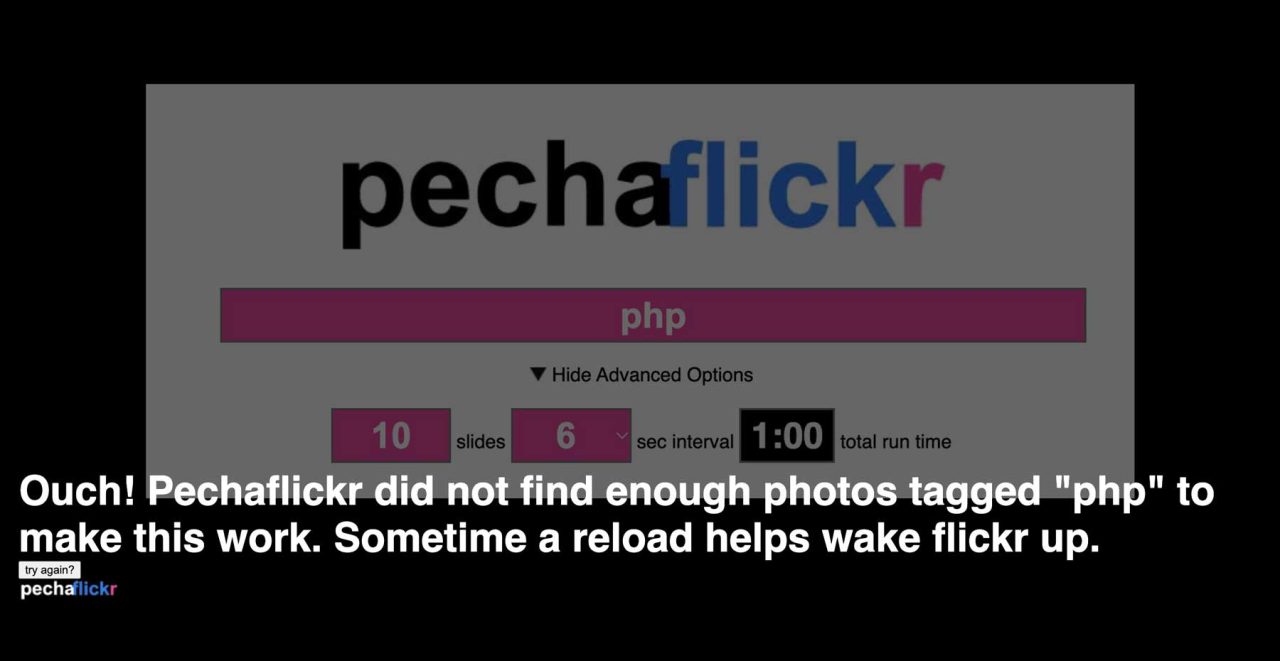
Featured Image: Composite screenshots of pechaflickr site with error screen when it was not working.
 Share this barking on social media
I’ve recently started playing with Cloudflare workers, using a static site on Github Pages with DNS hosted by cloudflare.
First thing I realised was that I had access to url rewrites/redirects, which are usually out of the question for a static site with no server access behind it, which meant I could remap URLs.
Second realisation, my site uses js to render pages via ids in URL args; some bots don’t render json, but I could used a cloudflare worker to intercept requests, build up a cache db (in cloudflare) of rendered pages via a Cloudflare browser worker, and serve a pre-rendered page to bots of my choice.
Third, I realised I could use a worker to intercept http posts, so now I have a form on my site folk can populate, then post that to the worker intercepted pagem then use the worker to post the form contents onto a github issues page. (I could have set up the worker to make a git commit; I could get github actions to spot the issue creation then run a github action to process the data posted to the issue). At the moment, I am human in the loop seeing the issues…
That said, it’s been Claude that’s done most of the coding…