Blog Pile

A Different Way to Make a Plugin

While I tinker with them, I’ve yet to code my own WordPress plugin. There are so many to choose from!

A few weeks ago I got an email from a guy named Joe who I had met at Northern Voice. He was developing a plugin that would connect blog posts automatically to related content in a site called DonorsChoose.org— I had never heard of it, but what a great concept. Teachers (and/or students) submit ideas for learning materials or activities they don’t have, and the site connects them with people willing to help them get what they need. Donors can choose which project to contribute directly to.

DonorsChoose.org is dedicated to addressing the scarcity and inequitable distribution of learning materials and experiences in our public schools. We believe this inequity is rooted in the following factors:

1. Shortages of learning materials prevent thorough, engaging instruction;
2. Top-down distribution of materials stifles our best teachers and discourages them from developing targeted solutions for their students; and
3. Small, directed contributions have gone un-tapped as a source of funding.

DonorsChoose.org will improve public education by engaging citizens in an online marketplace where teachers describe and individuals can fund specific student projects. We envision a nation where students in every community have the resources they need to learn.

According to Joe, the site has over 14,000 developed lesson ideas, and his concept was to create a system where blog posts would automatically by linked to relevant content at DonrsChoose.

I was a little curious since I really doubted the rants and whinges I post would have some correlation in a school project database, like when I use words like “cat piss”, but he said apost I made about the Learning 2.008 conference had a great amount of correlation.

Blog Pile

Wrangling WordPress MultiUser

Besides manually updating six separate instances WordPress (to version 2.6) in the NMC fleet of sites, I also finally paid some over due attention to the version of WordPressMultiUser I have had up since November 2007. This tool some rustling to get it to the right version and also what had not been done in a while- making the front door.

I am hardly a WPmu guru, certainly no bavatuesday… maybe a bavalatethursdaymorning. Most places running WPmu are doing it to provide a blog hosting service, like edublogs or the crazy stuff the Rev does at Mary Washington.

My need was to have a series of separate sites hosted in WordPress w/o having to have an even bigger fleet of separate installs (Heck, maybe one day I can rope them all in under the WPmu hood). No these are all a series of online publications we have done at NMC in the lasy 8 months, all using the slick CommentPress template. Developed by the Institute for the Future of the Book, CommentPress provides a way to post a series of publication chapters as “blog” posts, but the special feature is that comments can be attached to individual chapters.

So we have things like the 2008 Horizon Report in this format as well as the text of a keynote given by Howard Rheingold on Co-Evolution of Technology, Media and Collective Action.

Until just a few minutes ago, these were separate little sites, but now I have at least a crude launch page for the entire WPmu site at http://wp.nmc.org.

Blog Pile

I Am So Un Cuil

I Am So Un Cuil by cogdogblog posted 31 Jul ’08, 3.01pm MDT PST on flickr I did not spend much time poking at www.cuil.com since it was pretty well blasted across the blogosophere. My ego search left me depressed, nothing for cogdogblog but plenty of "cat piss" Oh well, they must have wised up, […]

Uncategorized

Sometimes You Find Cool Stuff Just by Kicking Over Some Rocks

Perhaps your head is exploding with all the new stuff coming out of every electronic orifice. It might be useful to consider how you go about getting your dose? Maybe it’s RSS, it might be clicking every link shared by a Jedi master, or slogging through the plaff of twitter, heck it might even be from a magazine.

I have a technique that never fails to give me a lift (when it works), yet I can hardly claim it is reproducible. It’s equivalent to kicking over a rock when hiking just to see what might be hiding underneath, when you find something cool (or just as not, squishy) in an expected place.

For a while I have been saying I should keep track of all the useful or interesting things I have found online by sheer serendipity. The best part is the surprise factor, and that it is very likely something that is not in everyone else’s news feed.

One source that works occasionally is scanning the links people put in their e-mail footers. Sure mostly it is their blog, or their company, or their math department.. but quite often people put links in their footer to something they are truly passionate about. When the listservs I read are dull, I scan the footers.

The one I can remember is someone on the Second Life Educators List had a link to Free Rice, a fun site that offers a multiple choice quiz to identify the meaning of a word:

For each word you get right, we donate 20 grains of rice to the United Nations World Food Program.

Okay, 20 grains is pretty small, but spell a lot of words right and…. But its a great concept that ties together two unrelated goals (getting “smarter” and feeding the world) in a clever way.

Uncategorized

“I Love Moo” “I Love Moo Too” (and Little Moo, Big Moo…)

Again I am embarrassingly late to embrace a trend. Moo cards have been around like since Web 1.6 – those slick half sized business cards that feature a different image on each card, and quite often images personally picked from flickr.

Thanks to a friend who slipped me a promo code to get a discount on my first order, I tipped the cow… er scale, and ordered my first set of cards:

Moo Me

The Moo tools are as easy as dipping Oreos- you give your flick credentials and you can then start selecting images from your photos, from your tags, sets, or just poking around. I rummaged around my hundreds of my photos flowers and dogs. You don’t have to select 100 pictures to make 100 cards (if you use less you get repeats). You can customize the info that appears on the back, including your flickr icon (yay) and either free text on the six lines of print, but can also have information auto inserted based on the image used (mine has a URL to the photo).

Blog Pile

More GraphJamming

I can’t stop going back for more GraphJams. I am wearing my GraphJammies eating peanut butter and GraphJam sandwiches. But I am waiting for my own submission to be portrayed, based on a recent blog post of my own. But for now, cue up that CD track that starts with scratchy vinyl sounds and get […]

Blog Pile

Wordle Does Feeds

Wordle Does Feeds by cogdogblog posted 28 Jul ’08, 10.57am MDT PST on flickr The uber nifty Wordle tag cloud generator now can take any URL that has an RSS feed and generate one of those lovely word maps of content. Here is what the latest blabber from CogDogBlog has in it- heavily weighted by […]

Blog Pile

Help Me Sort our Drupal Taxonomy Mess

Calling drupal jedi masters! I need some advice. When planning the structure of the NMC web site I had only a fuzzy idea of how to use taxonomies for organizing content, and ended up creating one taxonomy for staff to organize content that is a bit problematic as it serves multiple purposes, and I want […]

Blog Pile

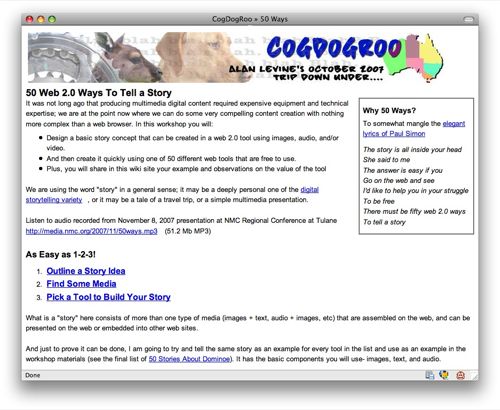
I Give You These 50… 57… maybe 72 Web 2.0 Ways To Tell a Story

It’s been almost a year since my half baked idea emerged for 50 Web 2.0 Ways to Tell a Story — I presented it 7 times, which for me, a reluctant presenter is a lot of repeats. But it is a fun show, and the highlight was getting a packed auditorium at Northern Voice 2008– I was sure everyone had my session confused with celebrity keynote. I was shaking in my cowboy boots.

By the time of the last presentation at the University of Delaware, I had achieved the Magic Heinz Number… 57 Tools…. and since then I have added another 12 on the “to do” list (sometime when I can stomach doing the same story again) including 280 slides, flowgram, SlideRocket, dipity, gloster, and more. A few of these are in beta, and I have access, but hope they emerge soon.

Vuvox Collage has been in beta a long time (and who knows what will happen, they were bought in June by eBay). I still love that one, and put along with gloster and I think the “Scrapbook” category may be renamed “Collages”.

A lot of folks keep telling me how useful the list is. And they keep asking me to recommend “best” tools. That’s really not the purpose to rank or say one is better than another. Most of the presentation ones and the slideshow ones are same in functionality, and differ maybe in template or background music choices. But I worry that people get fixated on the tools and not the process.

And I am seeking more examples to list! While the site is a wiki, I dont leave it open because (a) when I did, someone munged the format; and (b) when I did, some ***hole added spam links. So its my wiki, not yours (to edit). But what I do ask is that if you or your students or your mother-in-law or your mother-in-law’s dentist’s accountant makes a story in one of these tools, please go to the discussion tabs and share the URL (or just comments). I am watching the RSS feeds on these and boy is my reader lonely.

Three people from my University of Delaware workshop in June provided links to stories… so i will share them.